 indiely
Store Page · FIELD NOTES
How to Choose Steam Tags for Your Indie Game (and Order Them Right)
How Steam tags work, how to choose and order your top 20, and how to check them against similar games. Based on Valve docs, with a worked example.
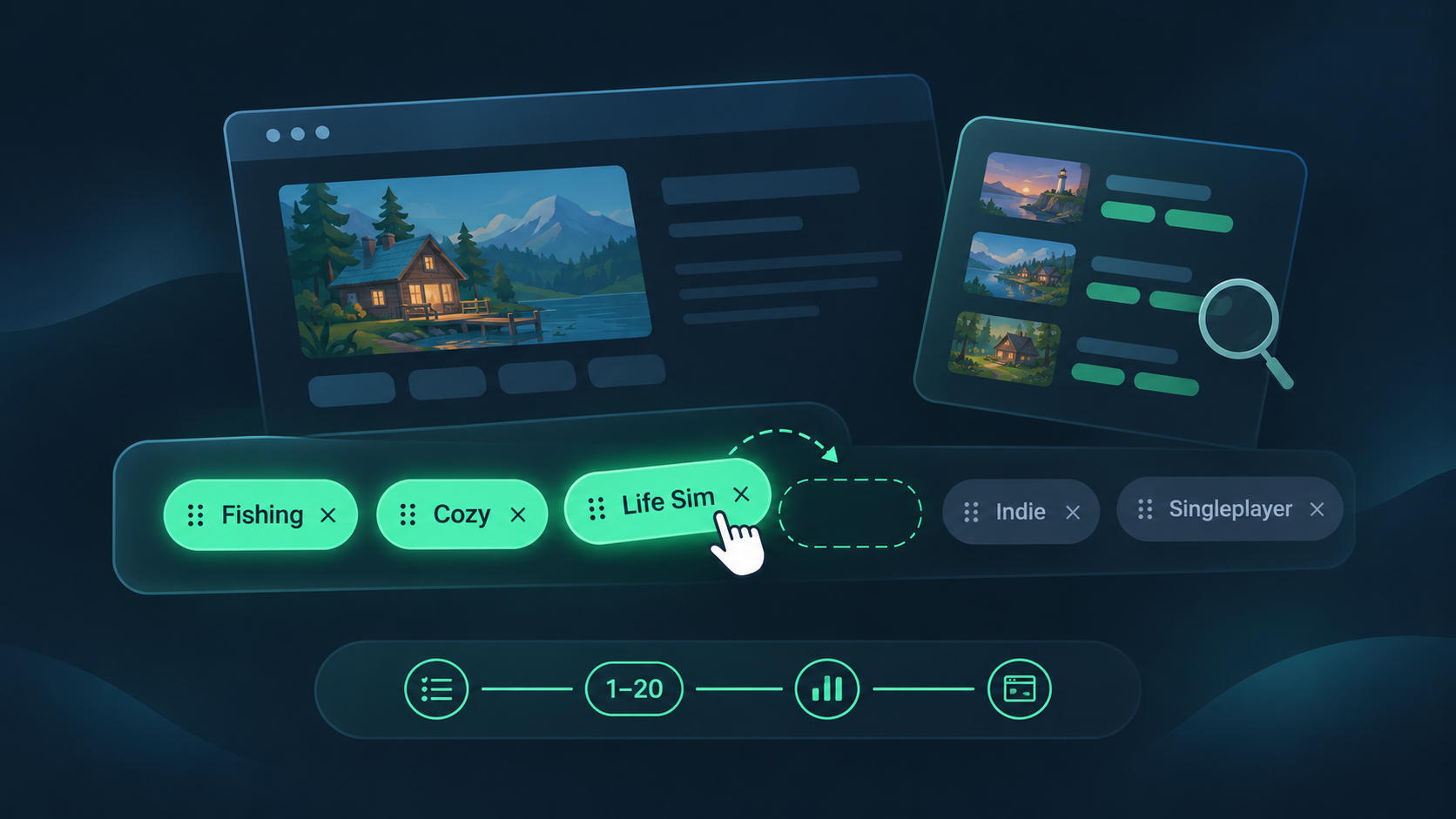
Steam tags look like a small form field you fill in once and forget. In practice, they decide which tag pages, browse lists and "More Like This" rows your game can appear in, and who Steam thinks your game is for. Pick vague tags, or put them in the wrong order, and your game ends up in front of players who were never going to buy it.
This guide explains how Steam tags work according to Valve's documentation, how to choose and order your top 20, and how to check your tags against similar games before launch.
How Steam tags work
Valve's Steam Tags documentation covers the rules. The points that matter most for indie developers:
- You need at least 5 tags before launch, and Valve recommends up to 20. Only the top 20 tags are shown to players and used for visibility, recommendations and tag pages.
- Tags have weights. Higher-weighted tags have more influence on where your game appears. You set the initial order yourself.
- Players can tag your game too. Tags can be added by the developer, by players with non-limited accounts and by Steam moderators. Community tags blend with yours, and a tag's weight rises as more people apply it.
- Some filters only read the first 15. Valve notes that certain store filters look only at your first 15 tags, so the order of those matters.
- Your top 5 describe your game. Valve says the top 5 tags should give players a clear picture of what the game is.
- Demos inherit the base game's tags, so getting them right also helps your demo during festivals.
Where to edit your tags
In Steamworks, open Store Presence → Edit Store Page → Basic Info → Tags to launch the Tag Wizard. You need the Edit App Metadata and Publish App Changes to Steam permissions. Tag changes are published separately from other store page changes, so don't assume saving the store page also saved your tags.
The four groups of tags the wizard asks for
The Tag Wizard walks you through categories. Thinking in these groups keeps your list balanced instead of 20 near-synonyms.
| Group | What it covers | Examples |
|---|---|---|
| Genres | A broad super-genre, a genre and the most specific sub-genre that fits | Action → Platformer → Precision Platformer |
| Visual properties | Dimensions, camera perspective and visual style | 2D, Top-Down, Pixel Graphics |
| Themes and moods | The setting and how the game feels | Sci-Fi, Fantasy, Relaxing, Atmospheric |
| Features | Mechanics, design ingredients and player activities | Crafting, Base Building, Character Customization |
Valve also lists player support (such as single-player or co-op) as a category. These are useful, but they describe a huge number of games, which is why they belong lower in your list.
How to order your top 20
Order is where most indie games lose value. Valve's guidance boils down to one idea: specific beats generic. Low-information tags like "Indie" or "Singleplayer" should sit lower, and specific sub-genres belong near the top. A practical order looks like this:
- Positions 1–5: what the game is. Your most specific sub-genre, its parent genre, and the two or three tags a player would use to describe your game to a friend.
- Positions 6–10: what makes it different. The key feature, theme or mood that sets it apart from other games in the same sub-genre.
- Positions 11–15: how it looks and feels. Visual style, perspective and mood tags. Remember that some filters stop at 15.
- Positions 16–20: broad context. Player support, "Indie", and other tags that are accurate but shared by thousands of games.
There's a second reason to favor specific tags. For recommendations, Valve explains that the overlap between several of your tags matters more than their exact order, and rarer tags carry more weight than common ones like "Action". A distinctive combination of accurate tags helps Steam find your actual audience.
Worked example: tagging a cozy fishing game
The game below is hypothetical. It's a relaxed 2D pixel-art game about fishing, decorating a small island and selling your catch. Here's a first draft many developers would write, followed by a stronger order.
| Position | Weak first draft | Stronger order |
|---|---|---|
| 1–5 | Indie, Casual, Singleplayer, Simulation, 2D | Fishing, Cozy, Life Sim, Relaxing, Simulation |
| 6–10 | Pixel Graphics, Cute, Relaxing, Fishing, Cozy | Resource Management, Crafting, Exploration, Nature, Casual |
| 11–15 | Adventure, Action, Open World, Atmospheric, Colorful | Pixel Graphics, 2D, Top-Down, Cute, Colorful |
| 16–20 | Family Friendly, Exploration, Crafting, Nature, Top-Down | Atmospheric, Family Friendly, Singleplayer, Indie, Adventure |
What changed:
- The top 5 now describe the game. "Indie, Casual, Singleplayer" tells a player almost nothing. "Fishing, Cozy, Life Sim" tells them exactly what they'll do.
- Misleading tags are gone. "Action" and "Open World" were in the draft because they're popular, not because they're true. Players who browse those tags expect something else, and bounce.
- Generic tags moved to the bottom. They're still accurate and still in the top 20, but they no longer take the spots that shape your top 5 and first 15.
Check your tags against similar games
Valve recommends looking at the tags on similar games and at the popular tags list. A simple process:
- Pick 5–10 recent games your target players would also buy. Favor games released in the last few years with a similar scope, not the biggest hit in the genre.
- Note their top tags and which ones repeat. Repeated tags tell you the vocabulary players use for this kind of game. The free Steam competitor comparison puts two store pages side by side, tags included.
- Look for your difference. If every comparable game shares the same top 5, the tags in positions 6–10 are where you show what's new about yours.
- Review your list for order, duplicates and too many broad tags with the free Steam tag analyzer.
For a wider view of a genre, the Steam market research tool shows tag trends and competitor estimates in one place.
Steam tag mistakes to avoid
Chasing popular tags that don't fit
Adding "Open World" or "Multiplayer" because they're popular puts your game in front of players looking for something else. Valve's own examples of tags to remove include "family friendly" on a horror game and "2D" on a 3D game. Accuracy is the rule.
Filling the top 5 with generic tags
"Indie", "Singleplayer", "Casual" and "Adventure" are true of thousands of games. In your top 5, they waste the space that should describe your game.
Using 20 versions of the same idea
Five tags that all mean "relaxing" add less than a mix of genre, feature, theme and visual tags. Use the wizard's categories to cover different aspects of the game.
Setting tags once and never checking again
Players add tags over time, and community weights can shift your order. Check your tags after big moments, such as a festival, a launch or a major update, and remove anything inaccurate.
Steam tags checklist
- You've used close to 20 tags, all of them accurate.
- Your top 5 tell a stranger what the game is, without "Indie" or "Singleplayer".
- Your most specific sub-genre is near the top.
- Positions 6–15 cover what makes the game different, plus visual style and mood.
- Broad tags sit in positions 16–20.
- You've compared your tags with 5–10 similar recent games.
- You've published the tag changes (they publish separately from the store page).
- You'll recheck community tags after your next festival or update.
Tags are one part of a store page that converts. Our guide to reading your Steamworks traffic report shows how to see whether the right players are arriving, and the Steam Next Fest prep timeline shows when to finalize your tags before a festival.
Steam tags FAQ
How many tags can I add to my Steam game?
You need at least 5 before launch, and Valve recommends up to 20. Only the top 20 tags are shown to players and used for visibility, recommendations and tag pages.
Does the order of Steam tags matter?
Yes. Higher-weighted tags have more influence on visibility, your top 5 describe the game to players, and some store filters read only the first 15. For recommendations, the overlap between several tags matters more than exact order.
Should I use the "Indie" tag?
It's fine to include it if it's accurate, but Valve suggests keeping low-information tags like "Indie" and "Singleplayer" lower in your list, below specific genres and features.
Can players change my Steam tags?
Players with non-limited accounts can apply tags, and their tags blend with yours. You can remove inaccurate tags through the Tag Wizard or the flag icon on your store page.
Sources
More from the Journal
How to Read Your Steamworks Traffic Report (Without Panicking)
A plain-English guide to the Steamworks traffic report: what impressions, visits and CTR really measure, and how to turn them into weekly decisions.
Read the article
Steam Next Fest Prep Timeline: What to Do From 8 Weeks Out to the Day After
A week-by-week plan for Steam Next Fest February 2027: key dates, registration, demo review, Press Preview and what to do after the festival ends.
Read the article
How Many Wishlists Before Launch on Steam? A Realistic Breakdown
Valve sets no wishlist minimum. See what wishlists really do, how many first-week sales they turn into, and how to work back from your revenue goal.
Read the article