 indiely
Store Page · FIELD NOTES
How to Write the "About This Game" Section on Steam
How to structure the long description on your Steam page: Valve principles, illustrated feature blocks, GIF size limits and what is not allowed.
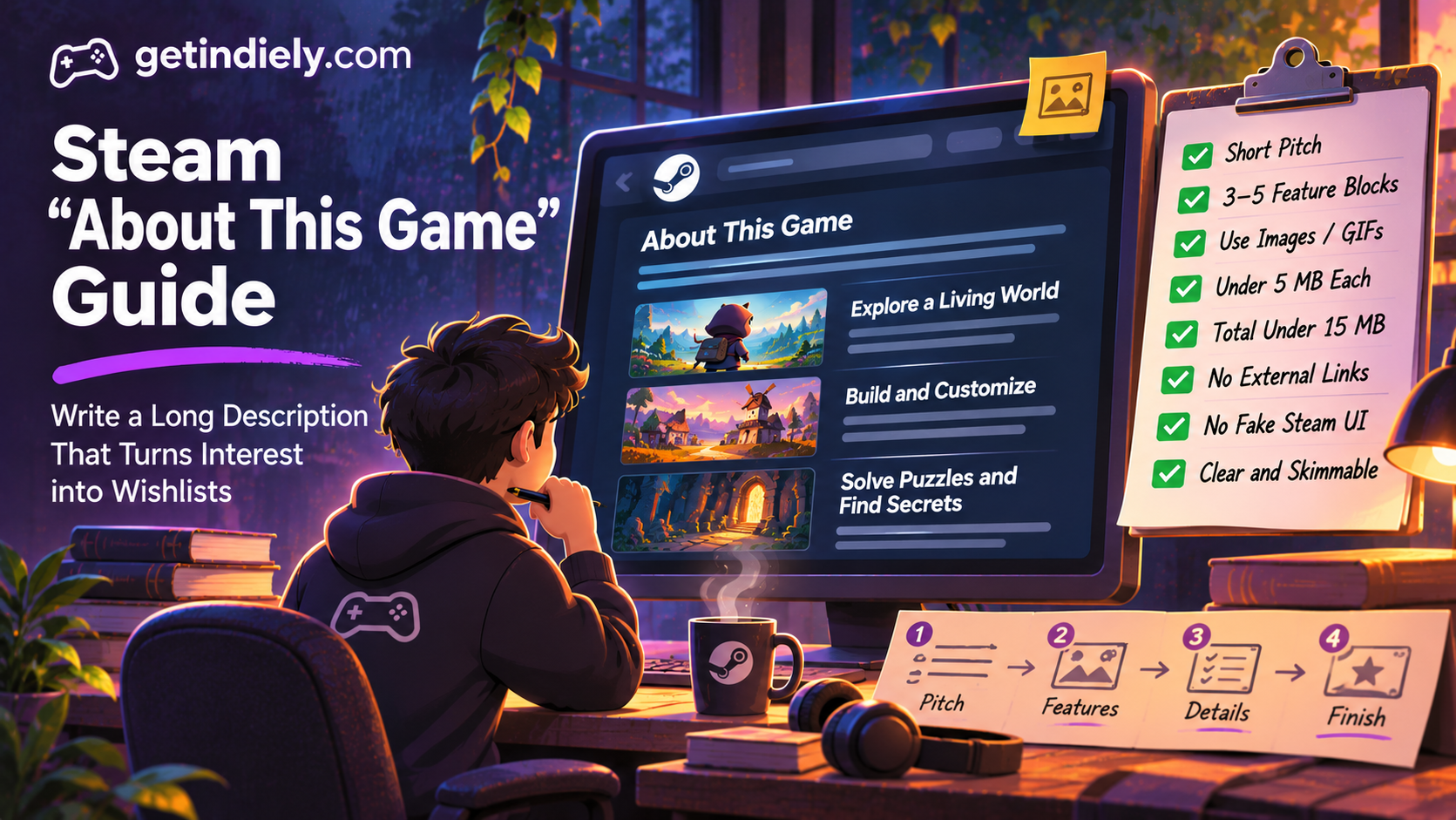
Your short description and media convince a visitor to keep scrolling. The "About This Game" section is where they decide. By the time someone reaches it, they've seen your trailer and screenshots and they're interested. Valve describes these players as people who "are interested and want to know more." What you write here can turn that interest into a wishlist, or lose it in a wall of text.
This guide explains how to structure the long description on your Steam page, what Valve allows, and how to use images and GIFs without slowing the page down.
What "About This Game" is for
Valve's store page description guidance separates two pieces of text:
- The short description is a plain-text synopsis at the top of the page. We cover it in our short description guide.
- "About This Game" appears lower on the page, after players have likely seen your screenshots and trailer. It supports formatting, written copy and embedded images such as screenshots, looping GIFs or short gameplay clips.
You edit both in Steamworks under Store Presence → Edit Store Page → Description. If your game has several editions, Valve suggests explaining what each purchase includes here.
Valve's four principles for the long description
| Principle | What it means in practice |
|---|---|
| Less can be more | Avoid walls of text and long paragraphs |
| Make it skimmable | Bold your key features and section headers |
| Keep the newcomer in mind | Minimize insider jargon and acronyms |
| Include visual aids | Pair headlines with relevant images; Valve's example is "Build Beautiful Bouquets" next to a screenshot of flower arrangements in a flower-shop game |
A structure that works for most indie games
Valve doesn't prescribe a layout. This is the structure we recommend, built on Valve's principles:
- A one-paragraph pitch. Two or three sentences that expand your short description: who you play, what you do and what makes the game different.
- Three to five feature blocks. Each block gets a bold headline written as a player benefit, a GIF or image, and one or two short sentences. Lead with your strongest feature.
- Content and scope. How big the game is: number of levels, biomes, characters, endings or hours, as long as you can state them honestly.
- Editions or Early Access notes, if relevant.
- A short closing line. A final reason to wishlist, without a pushy call to action.
Example feature block (hypothetical game)
Here's how one block might look for a fictional cozy fishing game:
Catch 120 fish across four seasons
Each season brings new species, weather and festivals. Some fish only bite at night or during storms, so every outing feels a little different.
Placed under a looping GIF of a catch, this block tells players what they'll do, how much content there is and why it stays interesting, in under 40 words.
Images, GIFs and file sizes
Visual aids are where the long description earns its place, but they come with limits. Valve's guidance:
- Keep each image under 5 MB.
- Keep the total of all screenshots and GIFs below 15 MB so the page loads quickly.
- Prefer textless images. Text inside images must be translated and re-uploaded for every language you localize into.
Practical tips (our recommendations): keep GIFs short and focused on one action, crop them to the area that matters, and reduce frame rate or colors before cutting length. Use the headline text, not the image, to explain what the GIF shows, so it still works in every language. Our Steam localization guide covers translating the rest of the page.
What's not allowed
Valve also notes that its store review checks for a description that is "detailed and coherent," with no links to other websites. See our Steam release checklist for everything reviewers look at.
Common long-description mistakes
- Pasting a design document. Long lore sections and system explanations belong in a wiki or devlog, not the store page.
- Feature lists without visuals. A bulleted list of 15 features is hard to scan. Five illustrated blocks work better.
- Burying the best feature. Many visitors read only the first block. Put your hook there.
- Overselling. Promising more than the game delivers leads to "not what I expected" reviews. Our Steam reviews guide explains why expectations matter.
- Heavy GIFs. A page over Valve's 15 MB guideline loads slowly, especially on mobile connections.
"About This Game" checklist
- Opens with a short pitch that expands on your short description.
- Three to five feature blocks, each with a benefit headline and a visual.
- Strongest feature first.
- Honest scope details players can rely on.
- Each image under 5 MB, total under 15 MB; text-free images where possible.
- No external links, fake Steam UI or promotion of other games.
- No jargon a new player wouldn't understand.
"About This Game" FAQ
How long should the "About This Game" section be on Steam?
Valve sets no word count but advises against walls of text. A short pitch plus three to five illustrated feature blocks covers most games without losing skimmers.
Can I use GIFs in my Steam description?
Yes. Valve supports images, looping GIFs and short gameplay clips in "About This Game." Keep each file under 5 MB and the total under 15 MB.
Can I link to my Discord or website in the Steam description?
No. Valve doesn't allow links to other websites in descriptions, including written-out URLs. Use the link fields in the Basic Info section of the store page editor.
What's the difference between the short description and "About This Game"?
The short description is a plain-text synopsis at the top of the page. "About This Game" sits lower, supports formatting and media, and explains your features in detail.
Sources
More from the Journal
Steam Localization: Which Languages to Add and How to Localize Your Page
Why localization matters on Steam, how language support is decided, how to localize your store page and how to choose which languages to add first.
Read the article
Steam Screenshots: Requirements, Order and What Makes Them Work
Valve screenshot requirements, the all-ages flag most developers miss, and a practical way to choose and order the screenshots on your Steam page.
Read the article
How to Make a Steam Trailer That Works in the First 10 Seconds
Valve trailer specs, why your first two trailers matter, what to show in the first 10 seconds and the upload mistakes that can delay your launch.
Read the article